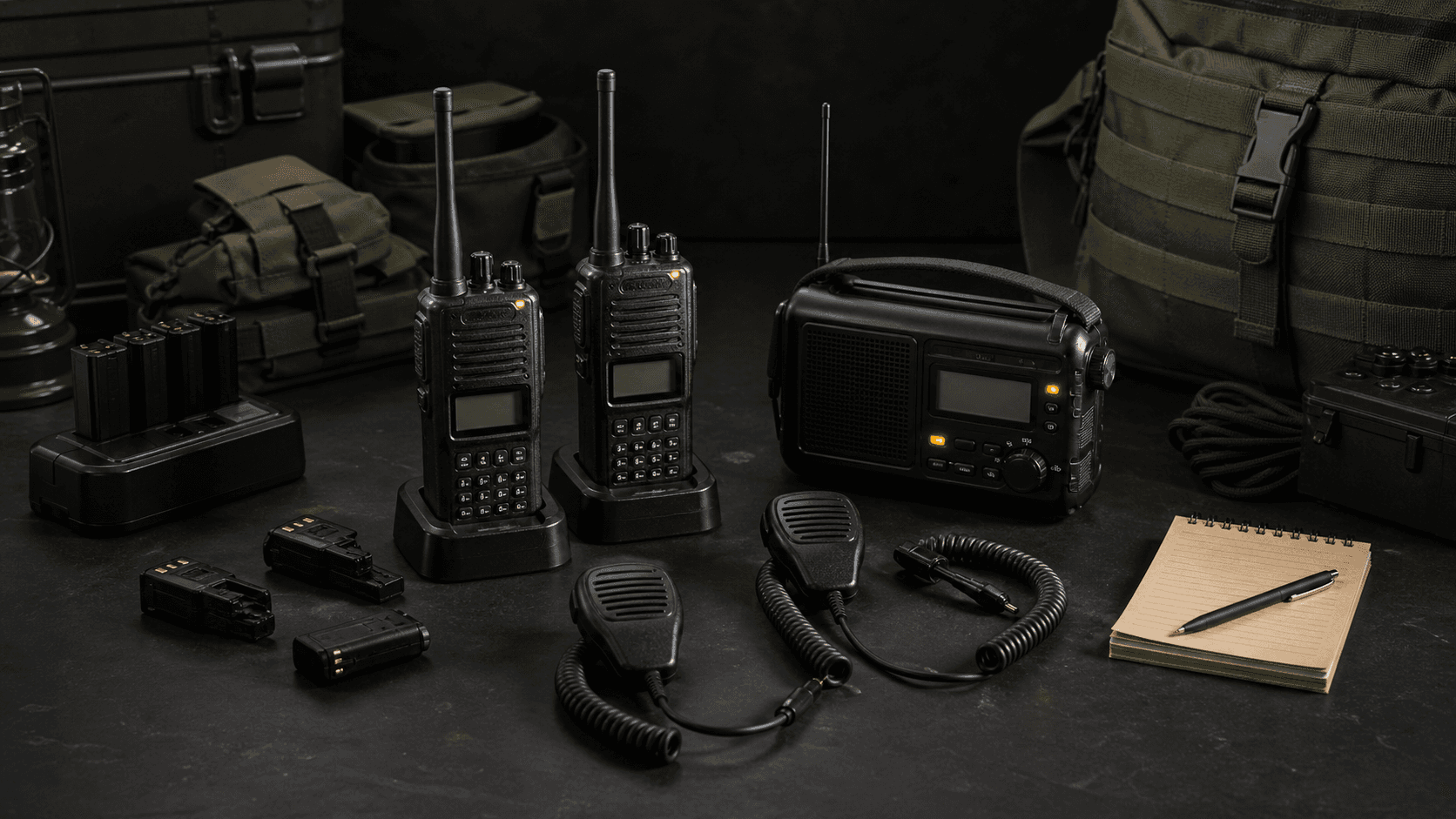
Why Start With A UV-5R
The Baofeng UV-5R is still the default entry point for a budget radio kit because it is cheap, common, and heavily documented. It is not a magic tactical network in a box. It is a simple analog dual-band handheld that can monitor VHF and UHF, talk on properly programmed amateur channels when the operator is licensed, and teach the owner the basics of radio discipline without putting a $300 handheld at risk. The real value is the ecosystem around it: K1 accessories, replacement batteries, antennas, programming cables, and a massive library of CHIRP examples and walkthroughs.
This build uses the UV-5R row because it has a known live catalog price. A UV-5RM Plus is the obvious modern swap if the buyer wants USB-C charging on the radio body, more channels, a larger battery, and the newer screen layout. The core accessory logic is the same because both live in the Kenwood K1 accessory family.
License And Band Notes
Buying or listening with a UV-5R is not the same as having permission to transmit. Most Baofeng and Quansheng budget radios are amateur-radio devices, so legal transmission on amateur bands requires an FCC Part 97 amateur license, usually Technician class for this use case. GMRS is different: it uses a no-test family license and Part 95 certified radios. Do not treat an unlocked budget radio as a license workaround for GMRS, FRS, public safety, aviation, or business channels. Program receive-only channels where appropriate, label transmit channels clearly, and know the local rules before keying the mic.
The Build
The radio is only one part of the kit. The Nagoya NA-771 antenna is the first upgrade because the stock rubber duck is a compromise. A real whip improves receive and can improve practical range, especially when the radio is carried on a chest rig or pack strap instead of buried in a pouch.
The Z-Tactical U94 PTT gives the user a shoulder or chest push-to-talk path for Kenwood K1 radios. Pair it with the TENQ acoustic tube earpiece for a low-cost listen-and-talk setup that keeps audio out of the speaker. This is not a substitute for real hearing protection or a hardened encrypted comms system; it is the budget path for learning cable routing, mic placement, and how much cheap accessory wiring matters. Keep the cable slack managed, route the earpiece so it does not pull when you turn your head, and test transmit audio before relying on it.
The USB-C extended battery matters because comms die when charging depends on a fragile desktop cradle. The BL-5L USB-C pack lets the radio live in the same power ecosystem as a phone, headlamp, and battery bank. The BTECH PC03 FTDI programming cable is the boring piece that prevents wasted time. Cheap counterfeit-Prolific cables are a common failure point; a known-good FTDI cable makes CHIRP work far more predictably. The Condor HHR pouch is the budget retention layer that keeps the radio accessible but not loose.
CHIRP Programming Flow
Start with CHIRP on a laptop and read the radio before changing anything. Save that original image. Build a small, legal channel plan instead of loading hundreds of random frequencies. Add local repeaters only if you understand their tone settings and rules. Add NOAA receive channels and any receive-only public information channels that are legal to monitor in your area. Name channels in plain language so another person can use the radio under stress.
After writing the image, disconnect, reboot the radio, and test every channel label, squelch setting, and transmit inhibit choice. If you are programming multiple radios for a team, clone from the same image and then mark each radio with a simple identifier. The goal is not a complicated frequency list; the goal is repeatable radios that match the card in your pocket.
PTT And Earpiece Setup
The K1 plug must seat completely. Many bad "radio problems" are half-seated accessory plugs. Clip the PTT where your support hand can reach it without looking. Run the earpiece under a collar or through cable keepers, then do a movement check: shoulder a rifle, put on a pack, turn your head, kneel, and stand back up. If the cable pulls, fix the routing before the range day. Do a radio check at normal speaking volume; shouting into a cheap mic usually makes audio worse.
Upgrade Path: Meshtastic And ATAK
Analog voice is the entry layer. The upgrade path is a parallel data layer, not a replacement. A Meshtastic node gives license-free 915 MHz text and position traffic through a phone. With the Meshtastic ATAK plugin, ATAK-CIV can pass position and GeoChat over the mesh when the plugin version matches the installed ATAK version. That is the civilian-budget path toward a shared map without cell service.
Do not jump straight to goTenna Pro, Somewear tactical, or military EUD mounts before the basics work. First prove that the team can charge radios, program the same channel plan, wear the PTT without breaking cables, and pass short clear messages. Then add Meshtastic nodes for position and text. Then decide whether a rugged Android EUD, satellite messenger, or higher-end radio actually solves a real problem.
Video References
For programming, start with Ham Radio Crash Course's Baofeng UV5R Family Radio Programming and Settings Part 1. For complete budget-kit context, the research also credits Urban Survivor's Budget Friendly Tactical SHTF Comms Setup, Black Flag Civilian's Tactical Comms for Idiots #1, and Thin Line Defense Co's Budget vs High End Comms. For the next data layer, use Ham Radio Crash Course's Get Started With Meshtastic FAST and S2 Underground's How to Use ATAK with Meshtastic.
Clone the attached build, then swap parts only after confirming the connector family. For UV-5R, UV-5RM, Quansheng UV-K5, and many TIDRADIO handhelds, the key phrase is Kenwood K1 2-pin. If a radio uses waterproof K2, Motorola M1, or Yaesu one-pin accessories, this exact PTT and earpiece chain will not fit.
The Build
Guide- $23.92RadioBaofeng UV-5R
- —
- $17.99
- —
- $15.99
- —Programming CableBTECH PC03 FTDI USB Programming Cable K1
- $12.00Radio PouchCondor HHR Radio Pouch